Autocomplete
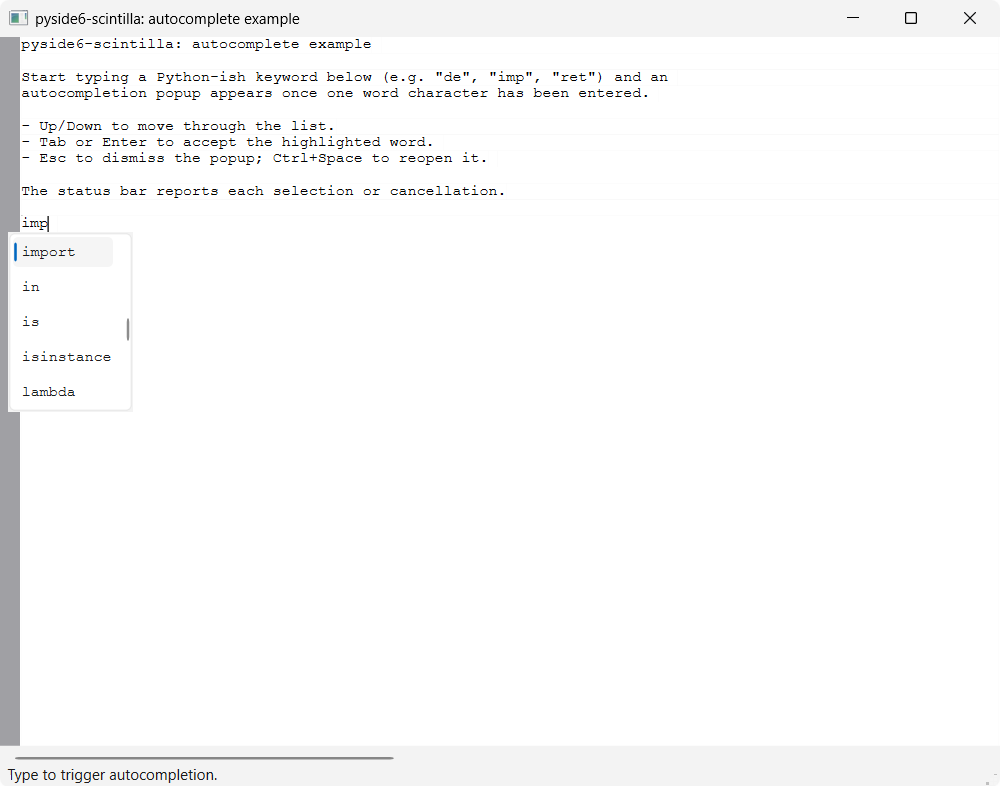
A minimal QMainWindow with a ScintillaEdit central widget demonstrating
word autocompletion from a static keyword list — the pyside6-scintilla
equivalent of QScintilla's QsciAPIs + setAutoCompletion* convenience
layer, done by calling Scintilla's autocompletion messages directly:
- watches the
charAddedsignal to (re)open the popup as a word is typed - computes the word fragment under the caret with
wordStartPosition()and shows the list viaautoCShow(); Scintilla filters and inserts the choice - configures case-insensitive matching (
autoCSetIgnoreCase) and a 1-character threshold, mirroring QScintilla's autocompletion settings - binds Ctrl+Space to explicitly reopen the popup (after Esc, or to complete a word mid-way)
- reacts to the
autoCompleteSelection/autoCompleteCancelledsignals, reporting each outcome in the status bar
Completion words
The words offered for completion are the static KEYWORDS list defined near
the top of the example's main.py — a small, illustrative set of Python-ish
keywords and builtins. Edit that list to change what the popup suggests. In a
real editor these might instead come from a lexer's keyword sets, the symbols
in the open document, or a language server; this example keeps them hard-coded
so it stays self-contained (no lexer dependency).
Running
From the repo root, after uv sync:
uv run python examples/autocomplete/main.py
Type a keyword fragment (e.g. de, imp, ret), then Tab or
Enter to accept the highlighted word, or Esc to dismiss
the popup.
Source
Screenshots